The first minutes of an incident are spent asking questions a monitoring tool can answer but rarely in the form you asked them: which servers are in trouble right now, is it the same thing as last night, what did memory do on the web servers before it started? Each answer is a few clicks away, on a different page.
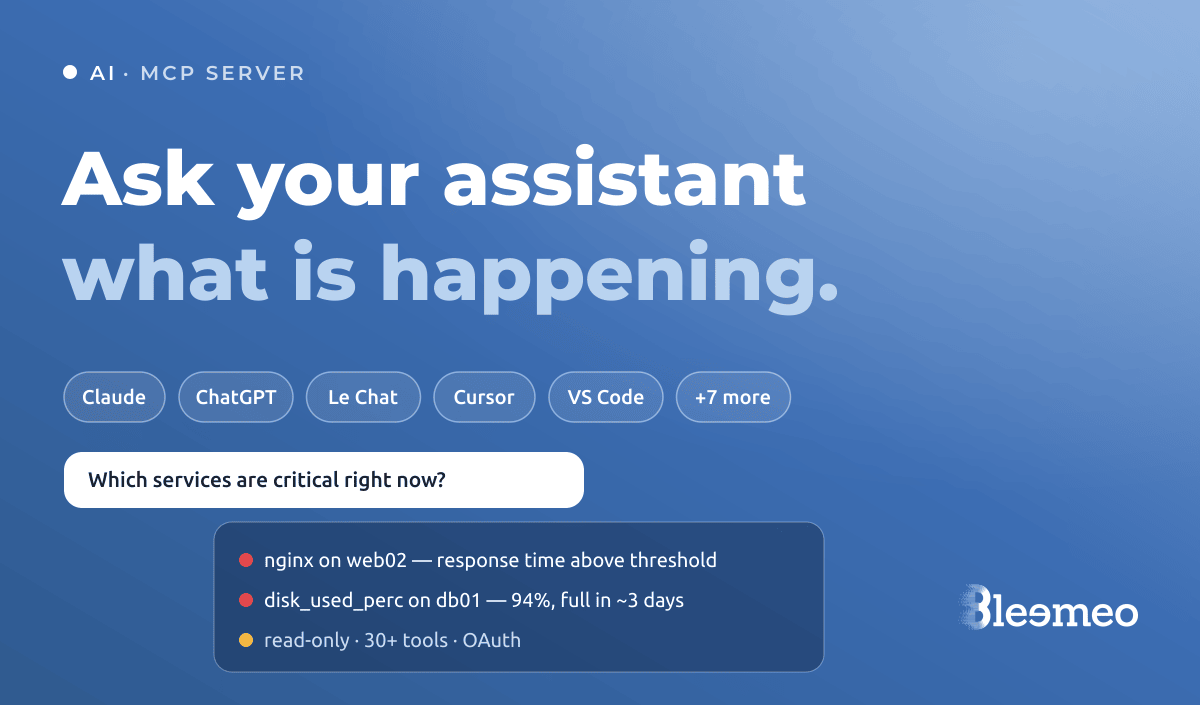
The Bleemeo MCP server lets you ask those questions to the AI assistant you already use — Claude, ChatGPT, Le Chat, Cursor and a dozen others — and have it answer from your live monitoring data.
What MCP is, in one paragraph
The Model Context Protocol is an open
standard that lets an AI assistant call tools exposed by a server. The
assistant decides which tool to call to answer your question, reads the result,
and may call another — the way you would click through a few pages. Bleemeo
runs such a server at https://mcp.bleemeo.com/mcp, and any MCP-capable client
can use it.
What you can ask
The tools cover the objects you already see in the panel — agents, services, containers, applications, health checks, events, audit logs, logs — and metrics, metric history and PromQL queries. That last part is what moves the assistant from “describe my inventory” to “tell me what happened”. A few questions that work well:
- “Give me a summary of the overall health of my infrastructure.” The assistant lists agents, services and unresolved events, then groups the problems and proposes what to look at first.
- “Which services currently have critical alerts?”
- “Show me memory usage on the web servers over the last 24 hours — did anything change before last night’s alert?” The assistant writes the PromQL query, runs it, and reads the series back to you.
- “Summarise the error logs of the night on db01.”
- “Who changed the notification rules this week?” — answered from the audit log.
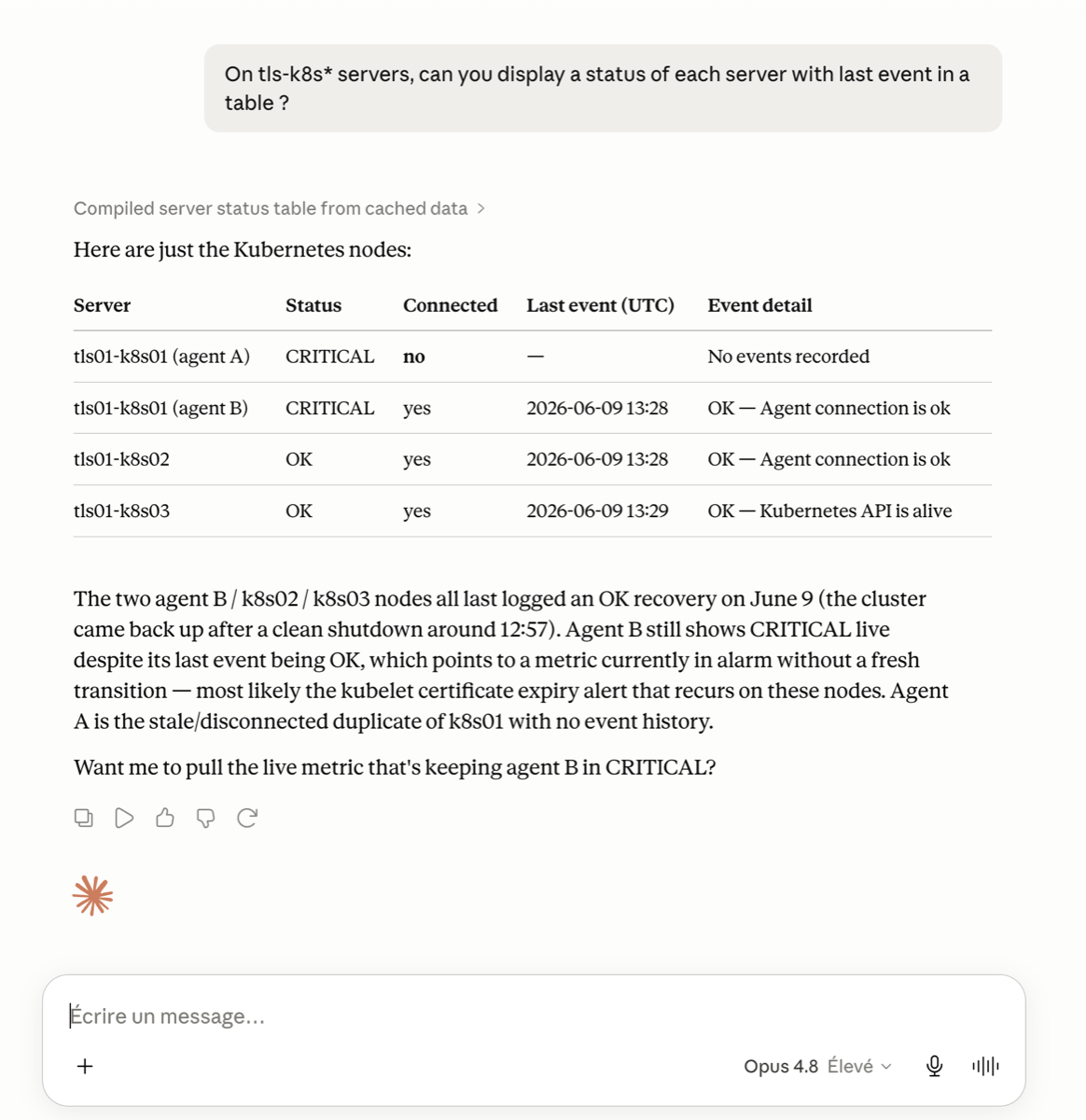
The assistant does the stitching: it calls the events tool, then the metrics tool on the host it found, then the logs tool for the same window, and gives you one answer instead of four tabs.
Read-only, on purpose
Every tool is read-only. The assistant can query and analyse; it cannot acknowledge an alert, change a threshold, silence a service or delete an agent. That is a deliberate line: an assistant that can only read is one you can let a whole team use without a review process, and one whose worst mistake is a wrong answer you can check against the panel.
Two practical consequences are worth knowing:
- What the assistant reads is sent to the AI provider you chose, under that provider’s terms. The Bleemeo server receives the tool calls, not your conversation, and it does not decide where the model runs. Pick the assistant your organisation allows — if you want a European provider, Le Chat from the French company Mistral AI is among the supported clients.
- Answers are only as good as the data behind them. The assistant reports what the tools return; when it draws a conclusion, the tool calls it made are shown in most clients, so you can open the same view in the panel.
Connecting a client
Authentication uses OAuth with your existing Bleemeo account:
- Add
https://mcp.bleemeo.com/mcpas a remote MCP server in your client. - On first use, a browser page opens: sign in to Bleemeo.
- The authorisation page lists the requested permissions and asks which account to expose.
- Back in the assistant, ask your question.
The documentation has a page per client — Claude Desktop, Claude Code, ChatGPT, Le Chat, Cursor, VS Code and the others — with the exact screens to go through.
Frequently asked questions
Which plans include the MCP server?
All of them, including the Free plan.
Can the assistant change anything in my Bleemeo account?
No. Every tool exposed by the MCP server is read-only: the assistant can query monitoring data but cannot create, modify or delete agents, services, rules or any other resource.
Which AI assistants are supported?
Any client that supports remote MCP servers. Thirteen are documented: AnythingLLM, ChatGPT, Claude Desktop, HuggingChat and Le Chat as chat interfaces; Cursor, Kiro, OpenCode, VS Code, Windsurf and Zed as editors; Claude Code and Gemini CLI on the command line.
Where does my monitoring data go when I use the MCP server?
The tools return data from your Bleemeo account to the AI client you connected, and from there to the provider that runs its model, under that provider's terms. Choose the assistant your organisation has approved.
Where to go from here
The AI and machine learning page puts the MCP server next to the rest of Bleemeo’s AI features — capacity forecasts and anomaly detection. And if you already have an account, adding the server to your assistant takes a couple of minutes: ask it what is critical right now, and see what comes back.