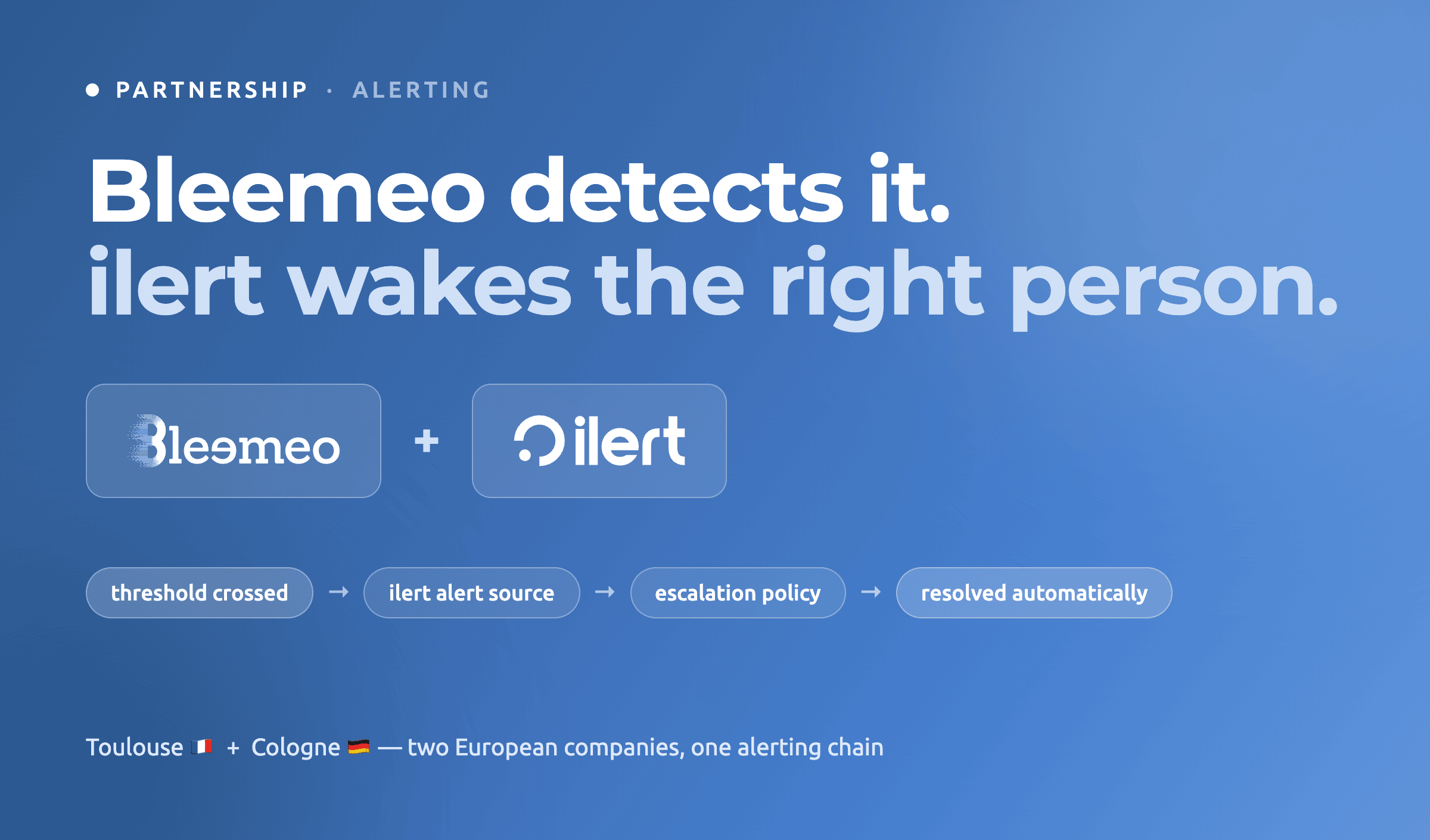
Some alerts only need to reach a Slack channel. Some need to reach one specific person, at 3am, and keep trying until they answer.
For the second kind, we are partnering with ilert — an incident response platform covering the full lifecycle: from the moment an alert arrives, through paging the right responder, coordinating the response, telling customers what’s happening, and learning from it afterwards.
The integration is live today, on both sides. Bleemeo ships an ilert integration type, and ilert ships a Bleemeo alert source. Neither of us built a generic webhook and called it a partnership.
That split is the whole idea. Bleemeo decides that something is wrong; ilert decides who gets woken up about it. Two genuinely different problems, and the teams best at one are rarely the ones you want solving the other.
Who ilert is
ilert is an incident response platform built by ilert GmbH in Cologne, Germany, and they have been at this since 2011.
Four things they do that are worth knowing before reading the rest of this post:
- On-call management and escalations — recurring and static schedules, overrides for holiday cover, escalation policies with per-level timeouts, and an escalation delay so a blip that heals itself never pages anyone.
- Reliable alerting — push, SMS, voice call, email and messengers, routed by priority, so a critical alert can be allowed to be obnoxious and a warning can be told to wait until morning.
- Call routing — this is the unusual one: a global phone number inventory, multi-level IVR menus, support-hours-based routing, voicemail with transcription. If your on-call rotation also has to answer a support line, that is a whole product you do not have to buy separately.
- Everything after someone is woken up — incidents with an incident commander and a dedicated channel, customer-facing status pages, a postmortem library, ChatOps to acknowledge from Slack or Teams without opening a console, and an AI SRE that investigates any alert or incident and delivers a root cause with evidence in minutes.
They also carry the compliance paperwork that regulated customers ask for: ISO 27001, GDPR with an external DPO, and a DORA compliance package for the financial sector.
What the integration actually does
The mechanics are deliberately small, because the less there is to configure, the less there is to drift. Three steps — one in ilert, two in Bleemeo — and a single thing travels between the two products: an integration key, in that direction only.
Step 1 · In ilert — create the Bleemeo alert source
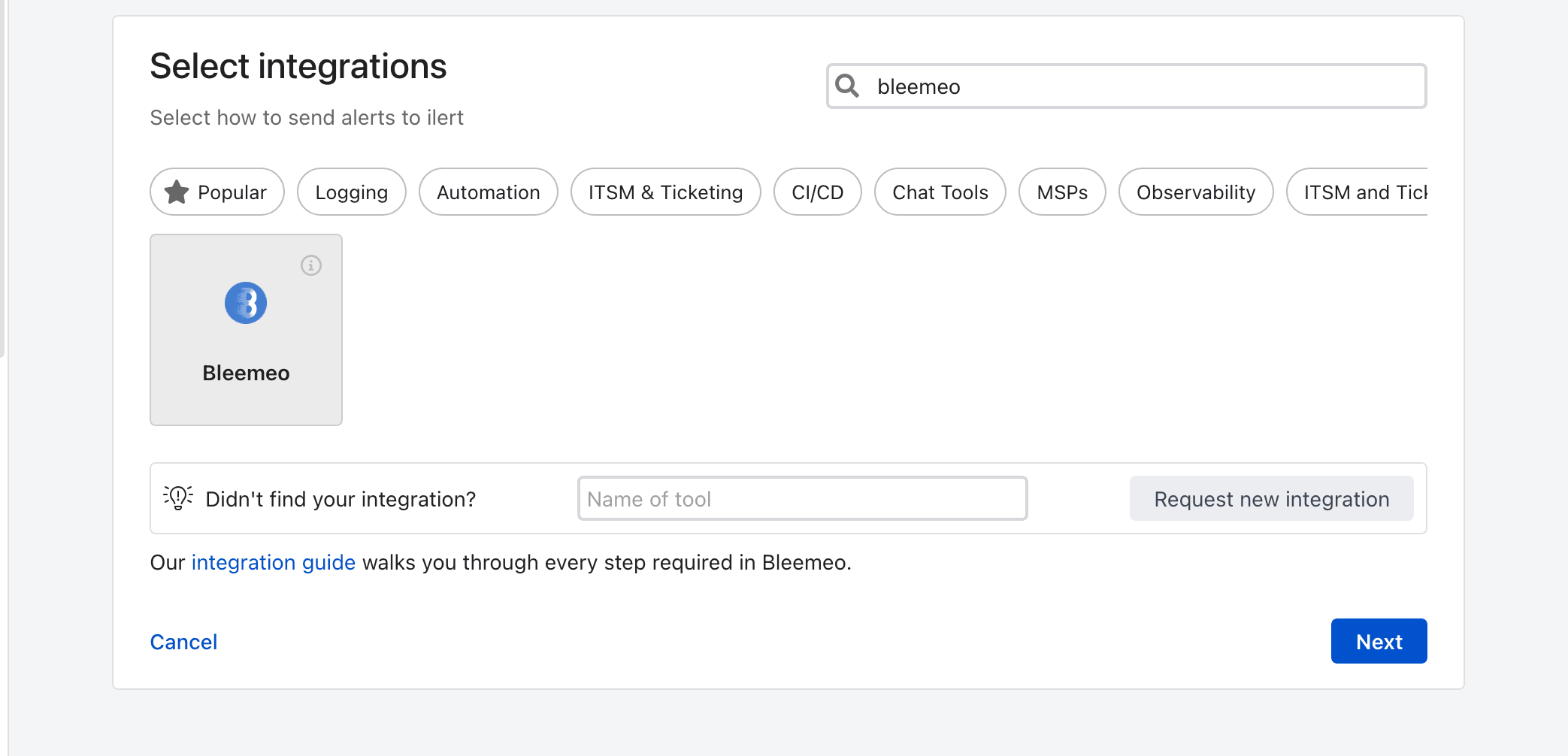
ilert ships a dedicated Bleemeo alert source, so there is no payload template to write and no field mapping to agree on. Search for Bleemeo in the integration picker, pick the tile, then name the source and attach the escalation policy that should be paged. ilert hands you an integration key at the end of the wizard — that is what you carry over.
Step 2 · In Bleemeo — add the ilert integration
On the Integrations page, add an integration of type ilert and paste the key in. One field, no URL to compose, nothing else to fill in.
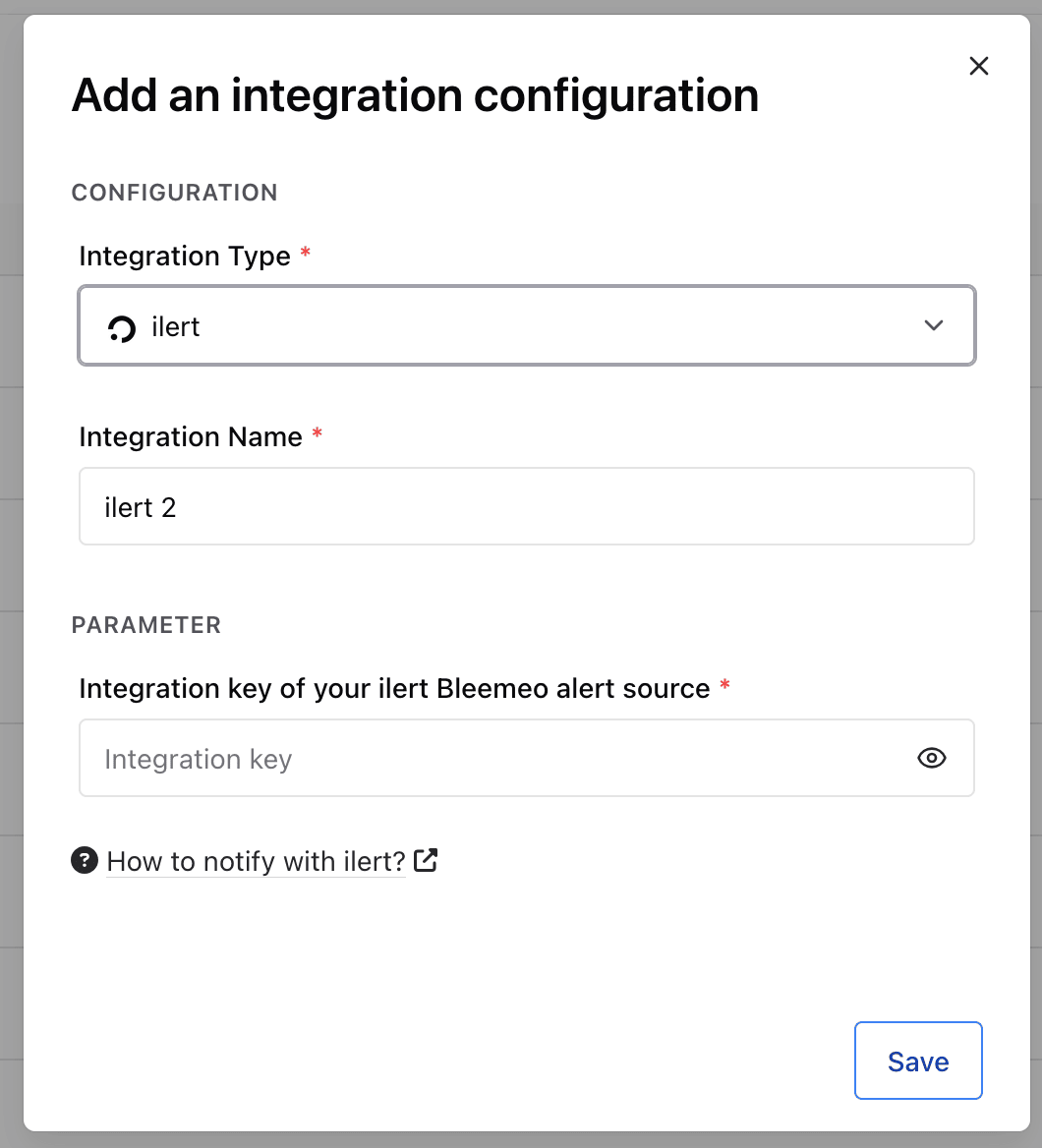
Step 3 · In Bleemeo — point a notification rule at it
In the Targets step of a notification rule, pick your ilert integration, the same way you would pick email or Slack. An existing rule can be edited rather than replaced.
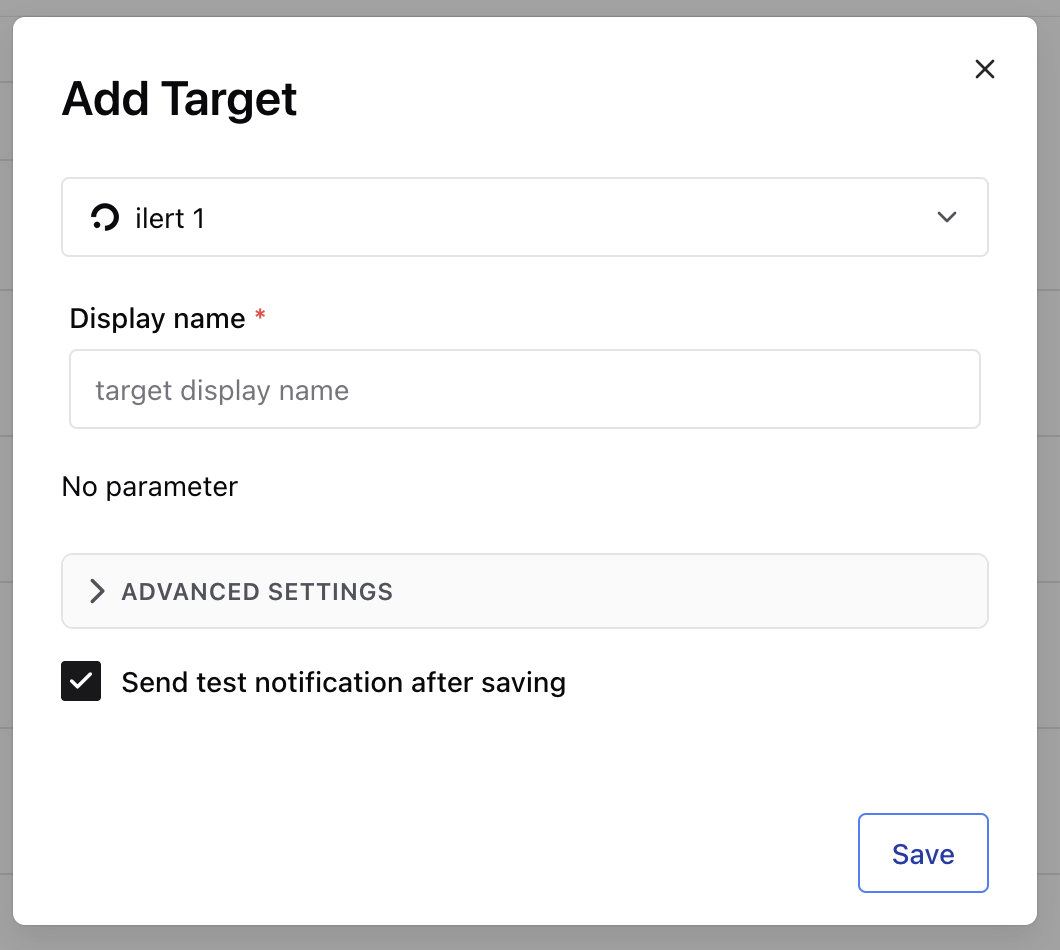
Tick “Send test notification after saving” and you will know within seconds whether the key is right, rather than finding out during the next incident.
Behind those three screens, here is the contract:
- A Bleemeo event that reports a problem — a threshold crossed, a service
down, an agent gone unreachable — creates an
ALERTin your ilert alert source. ilert then applies the escalation policy attached to that source — which responder, which channel, how long they have before it escalates. - When the metric returns to OK, Bleemeo sends a
RESOLVEand ilert closes the alert. This includes the end of a flapping episode, provided the metric is genuinely back to OK and not merely between two flaps. - Every alert carries a deduplication key derived from the metric — or from the agent, for agent-level events such as a server going unreachable. ilert deduplicates on open alerts: while a disk is still over its threshold, every repeat notification appends to the same alert instead of seeding new ones. Once it has resolved, a disk that fills up again is a new alert, which is the behaviour you want — the incident really did happen twice.
- Each alert links straight back to the Bleemeo event page, so the responder who was woken by their phone gets to the graph in one tap rather than navigating a dashboard at 3am.
The integration key is treated as a secret end to end: it lives in the URL path of the ilert API call, so Bleemeo strips it from error messages before they are stored or logged.
Why two alerting tools is not one too many
This is the honest question, and we would rather answer it than dodge it: Bleemeo already has on-call schedules and escalation policies. They are on every plan, free included. You can build a rotation on a calendar, add overrides, and chain escalation levels with “after 10 minutes if not acknowledged”. For a lot of teams that is the whole requirement, and adding a second product would be ceremony.
So here is where the line actually falls.
Bleemeo’s job is to be right about the problem. An agent on the host, a service detected automatically, thresholds you did not have to write, anomaly detection that learns the daily and weekly rhythm of CPU, memory and swap on each server, and silences — including the automatic flappy kind, which pauses notifications on its own when the same thing fires too often in a window. The value is in the signal: has something actually broken, and what.
ilert’s job starts once the signal exists, and it spans more than monitoring. Two things make that a different product:
- Bleemeo is not your only source of alerts. ilert integrates with 150+ tools — other monitoring platforms, CI/CD, ITSM, ticketing, email, SMS, heartbeat checks. If you want one rotation, one escalation policy and one place where “who is on call” is defined, that place cannot be inside any single monitoring tool. It has to be the layer above.
- The response chain is a product of its own. Voice calls with IVR menus, an incident commander with a dedicated channel, postmortems in a library, ChatOps acknowledgement, DORA paperwork. Status pages are the one place the two products genuinely overlap, and the difference is worth stating: Bleemeo publishes a page that reflects your monitors automatically, while ilert’s is a communication tool — subscribers who get emailed or texted when you post, a custom domain, private and audience-specific pages, updates you write yourself. If your status page is something the team writes in during an incident rather than something that simply shows green, that one is ilert’s.
Put plainly: if Bleemeo is where your alerts come from and a handful of people share the pager, Bleemeo’s own on-call is probably enough. If alerts come from five systems, if someone has to answer a phone, if your status page needs subscribers and written updates, or if an auditor is going to ask how incident response is organised — that is ilert’s territory, and it is now one field away.
“Bleemeo has had on-call schedules and public status pages for years, and for plenty of teams they are enough. What we were never going to build is the trade next door: phone numbers in a dozen countries, IVR menus, voicemail transcription, and one rotation that also covers the alerts from the four tools that are not ours. That is an entire product. ilert has spent its whole existence on it, so we would rather point at theirs than ship a worse one.”
— Lionel Porcheron, CEO & co-founder, Bleemeo
The European part, stated precisely
We are careful on this site about what “European” is allowed to mean, so let us be specific rather than wave a flag.
Bleemeo is a French company, founded in Toulouse in 2015 and still run from there. You contract with a French entity under French law, and your metrics and logs are stored in the EU, in the Paris region. ilert GmbH is a German company in Cologne; its platform is hosted exclusively in EU data centres — Frankfurt as primary, Dublin for disaster recovery — it is ISO 27001 certified, and German data protection law is its baseline.
What that buys you is a chain where both counterparties are European companies, contracting under European law, with the platforms in EU regions. For a vendor assessment, that is a materially shorter conversation than a chain that leaves the continent halfway through.
What it does not buy you is an absolute. Once an alert becomes an SMS or a phone call, it enters the telecom system, and ilert uses multiple carriers for delivery and redundancy — as do we for our own SMS integrations. Our own transactional email and mobile push go through non-EU processors too, under Standard Contractual Clauses; our European monitoring page says so in those terms, and we will send you the current processor list if you ask. We would rather tell you where the chain stops being European than let you discover it in a security review.
Frequently asked questions
Which Bleemeo plans include the ilert integration?
Starter and Professional. You configure it from the Integrations page in the Bleemeo panel, and you need an ilert account with an alert source of your own — the two products are billed separately.
Do I have to give up Bleemeo's own on-call schedules?
No, and you can run both. A notification rule can have several targets, so a rule can page through ilert and still post to a Slack channel or an email group for visibility. What we would not recommend is defining the same rotation twice — pick one system as the source of truth for who is on call, or you will eventually page the wrong person with full confidence.
Will an alert close itself when the problem clears?
Yes. When the metric returns to OK, Bleemeo sends a resolve event and ilert closes the matching alert. The same applies at the end of a flapping episode, as long as the metric is genuinely back to OK. You do not have to manually reconcile the two consoles after an incident.
What happens if the same problem notifies several times?
As long as the problem is still open, it appends to the existing ilert alert rather than creating a new one. Alerts are keyed per monitored metric, or per agent for agent-level events such as a server becoming unreachable, and ilert deduplicates against open alerts — so a condition that keeps notifying does not build a queue of duplicates for whoever is on call. After a resolve, the next occurrence opens a fresh alert, because it is a fresh incident.
Is there any payload mapping to configure?
None. ilert ships a dedicated Bleemeo alert source, which is the difference between a partnership and a webhook. You copy an integration key one way and that is the whole configuration — there is no JSON template to maintain on either side, and nothing silently breaks when a field is renamed.
How is this different from the PagerDuty or Opsgenie integrations?
Functionally the pattern is the same: Bleemeo raises and resolves alerts in an external incident management platform, and if your rotation already lives in PagerDuty or Opsgenie there is no reason to move it. What is genuinely different is ownership and law — ilert is a European company hosting in EU regions, which matters if that is part of your vendor assessment — and that ilert sells telephony as part of the product: a phone number inventory, multi-level IVR menus, voicemail transcription. For anything beyond that, compare the current plans yourself; all three move too fast for a blog post to stay right about them.
Start with one rule
The good way to try this is not a migration. Run the three steps above once, against an escalation policy with exactly one person on it, and point your most important notification rule at it. The test notification tells you within seconds whether the chain works, and the blast radius of getting it wrong is one alert.
The setup guide covers the same three steps in more detail. If you do not have a Bleemeo account yet, the free trial takes a couple of minutes and the integration is available on Starter and Professional.
ilert are announcing the same integration from their side today, in ilert now supports a native Bleemeo integration — worth reading if you are coming at this from an ilert rotation rather than from Bleemeo monitors.
We are glad to be working with the ilert team. Two European companies, each doing the half they are good at, is a better answer than one product pretending to do both.