Kubernetes has become the de facto standard for container orchestration, but monitoring a Kubernetes cluster can be challenging. In this guide, we’ll walk through the essential steps to set up effective monitoring for your Kubernetes infrastructure.
Why Kubernetes Monitoring Matters
Kubernetes environments are dynamic and complex. Pods come and go, services scale up and down, and the underlying infrastructure constantly changes. Without proper monitoring, you’re flying blind.
Key challenges include:
- Dynamic nature: Containers are ephemeral and can be scheduled on any node
- Distributed systems: Applications span multiple pods and services
- Complex networking: Service mesh and network policies add layers of complexity
- Resource management: CPU, memory, and storage need careful tracking
Essential Metrics to Monitor
Cluster-Level Metrics
Start with these fundamental cluster metrics:
- Node health: CPU, memory, disk usage across all nodes
- Pod status: Running, pending, failed, and unknown pods
- Resource utilization: Actual vs requested vs limit for CPU and memory
- Network traffic: Ingress and egress bandwidth per service
Application-Level Metrics
Don’t forget application-specific monitoring:
- Request rates: Requests per second for each service
- Error rates: HTTP errors, application exceptions
- Response times: p50, p95, p99 latencies
- Custom metrics: Business-specific KPIs
Setting Up Monitoring with Bleemeo
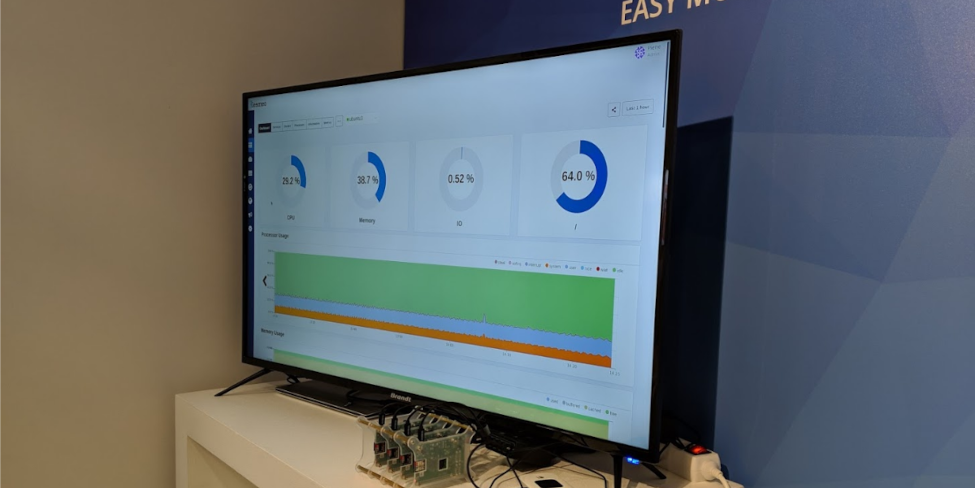
Bleemeo makes Kubernetes monitoring straightforward. Here’s how to get started:
# Install the Bleemeo agent as a DaemonSet
kubectl apply -f https://docs.bleemeo.com/agent/kubernetes/bleemeo-agent.yaml

# Configure your account credentials
kubectl create secret generic bleemeo-agent-secret \
  --from-literal=account-id=YOUR_ACCOUNT_ID \
  --from-literal=registration-key=YOUR_REGISTRATION_KEY
The agent automatically discovers:
- All running pods and containers
- Services and deployments
- Node metrics and health status
- Custom Prometheus metrics
Best Practices
1. Set Up Alerts Proactively
Don’t wait for issues to escalate. Configure alerts for:
- High CPU or memory usage (>80%)
- Pod restart loops
- Failed deployments
- Persistent volume issues
2. Use Labels Effectively
Organize your monitoring with Kubernetes labels:
metadata:
  labels:
    app: web-frontend
    environment: production
    team: platform
3. Monitor the Control Plane
Don’t forget to monitor Kubernetes components themselves:
- API server latency
- etcd performance
- Scheduler and controller metrics
4. Implement Log Aggregation
Combine metrics with logs for complete observability. Bleemeo’s log management integrates seamlessly with metrics for unified debugging.
Advanced Topics
Service Mesh Monitoring
If you’re using Istio or Linkerd, monitor:
- Service-to-service latency
- Mutual TLS status
- Circuit breaker events
Cost Optimization
Use monitoring data to:
- Identify overprovisioned workloads
- Right-size resource requests and limits
- Spot unused persistent volumes
Conclusion
Effective Kubernetes monitoring doesn’t have to be complicated. By focusing on the right metrics, setting up proper alerts, and using tools like Bleemeo that understand Kubernetes natively, you can maintain visibility into your cluster while keeping complexity manageable.
Ready to start monitoring your Kubernetes cluster? Try Bleemeo free for 15 days and see how easy it can be.