Almost every expired-certificate incident happens on a host where renewal was automated and working. The cron ran. The new certificate landed on disk. Nobody reloaded the service, so the process kept serving the old one from memory until the day it expired.
Which is the whole point of this article: monitoring the certificate file tells you nothing. You have to check what is actually served, over the network, on every port that serves it.
SSL, TLS, and why the name still matters
Strictly, SSL is dead. Secure Sockets Layer was deprecated years ago and every version of it
is prohibited; what actually protects the connection is TLS. The word “SSL” survives in
product names, configuration directives (ssl_certificate) and everyday speech, so this
article uses both — but if something in your estate genuinely still negotiates SSLv3, that is
a finding in itself.
Why this got harder
Certificate lifetimes have been getting shorter for years. Browsers capped them at 398 days in 2020, and the industry has since agreed to keep reducing that in stages, heading toward lifetimes measured in weeks rather than months before the end of the decade.
The consequence is not really about expiry dates. It is that renewal stops being an annual chore and becomes routine automation — and automation fails differently from people. A person who renews a certificate remembers to reload the service. A cron job that renews forty certificates fails on one of them, silently, and nothing tells you which.
It also changes what a good alert window looks like. Warning at twenty days made sense for a certificate valid for thirteen months. Against a certificate valid for six weeks, twenty days is half its life — the alert either fires constantly or you shorten it and lose your margin. Worth revisiting whichever thresholds you set years ago.
What to monitor beyond the expiry date
The certificate as served, not as stored
The failure at the top of this article — renewed on disk, not reloaded in the process — is by far the most common, and it is invisible to anything that reads the filesystem. It is also invisible to a check that only verifies the file’s own expiry date.
The only reliable check is to open a TLS connection and look at what comes back. That covers the reload case, and also the case where a load balancer in front of your server holds its own, older copy.
The whole chain, not just the leaf
Your certificate is presented with the intermediates that link it to a trusted root, and those intermediates have expiry dates of their own — sometimes sooner than your leaf. Well-behaved browsers can paper over a missing or expired intermediate by fetching it themselves; a great many non-browser clients cannot, which is how a site that works fine for you fails for a partner’s Java service or a mobile app.
Two things to verify: that the chain is complete as served, and that nothing in it expires before the leaf does.
The ports nobody watches
Every organisation monitors its public HTTPS certificate. The expiries that cause incidents are elsewhere:
- Mail — SMTP on 587 and IMAP on 993, often with a certificate renewed on a different schedule from the web one.
- LDAP over TLS, on 636, which authenticates everything and is checked by nobody.
- Internal APIs and service meshes — including client certificates for mutual TLS, which expire exactly as leaf certificates do and take a whole integration down when they do.
- Databases configured to require TLS.
- Anything behind a VPN, which an external monitoring service cannot reach at all.
A useful exercise: list every port in your estate that terminates TLS, and compare it against what your monitoring actually checks. The gap is usually surprising.
Hostname coverage
A certificate is valid for the names in its Subject Alternative Name list. Add a domain to a service and forget to reissue, and visitors get a name-mismatch error — which browsers present far more alarmingly than an expiry. Worth checking that every hostname you serve is actually covered by the certificate served on it.
How to monitor certificates with Bleemeo
Configure a monitor as described in the documentation. Point it at an HTTPS URL and expiry monitoring starts automatically — no separate certificate configuration.
Because the monitor connects over the network from outside, it is checking the served certificate, which is the case that matters: a renewal that never got reloaded shows up here even though the file on disk looks perfect.
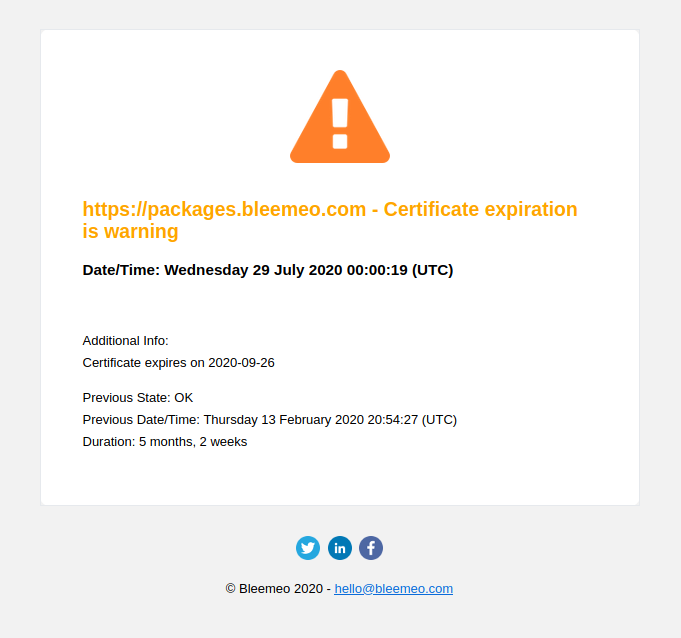
By default it warns when the certificate expires in less than 20 days and raises a critical alert under 10 days:
The same monitor also measures response time and availability, and a dashboard is created for each one — reachable from the monitor list:
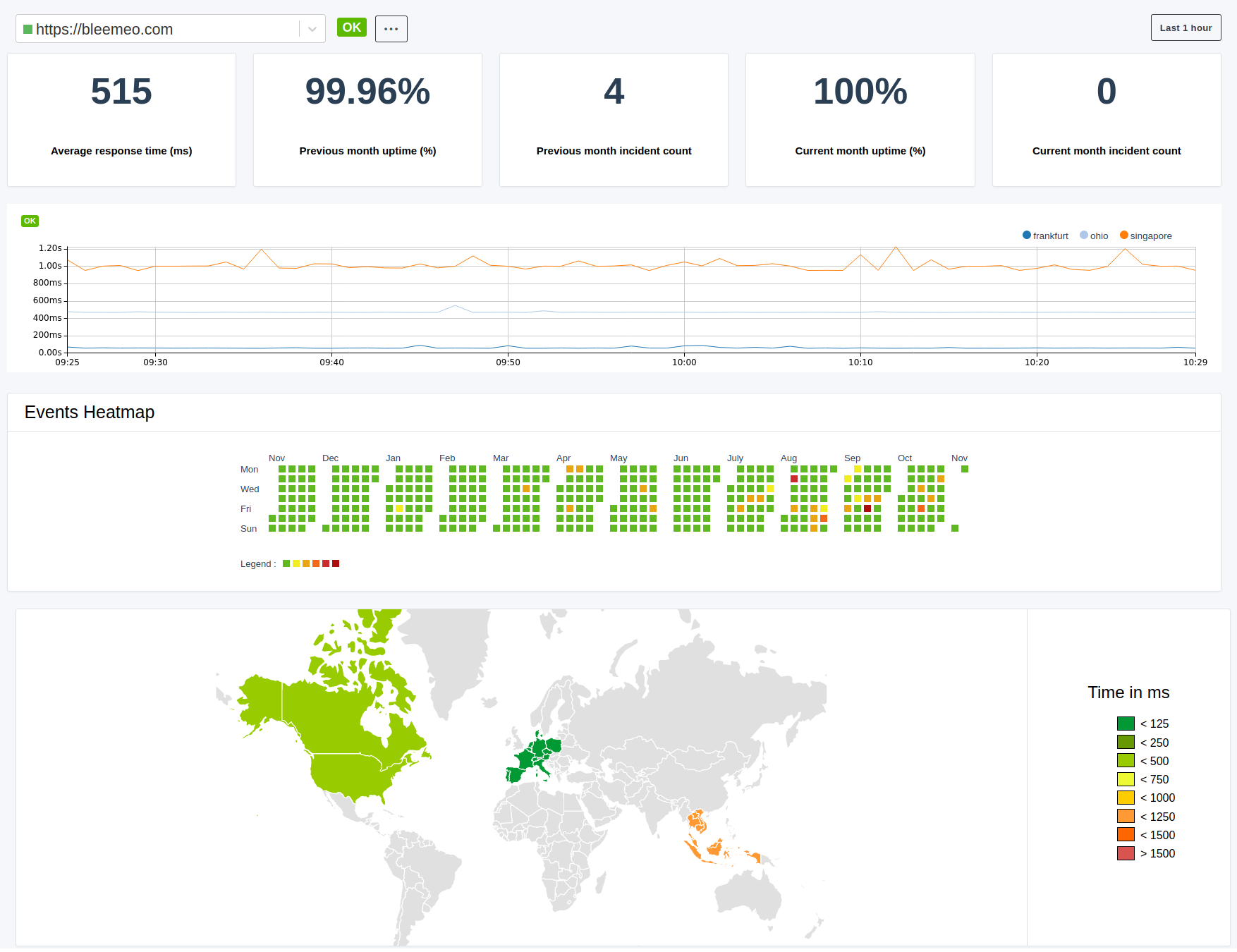
Alarms appear on your status dashboard alongside everything else and can be routed to the usual notification channels — which matters here, because a certificate warning that lands in a mailbox nobody reads is the same as no warning at all.
For internal services an external check cannot reach, uptime monitoring from the agent’s side of the network is the way to cover them.
Practical advice
- Alert on renewal failing, not only on expiry approaching. If your ACME client logs a failure, that is a signal three weeks earlier than any expiry threshold.
- Monitor the certificate a monitoring system itself presents. It is the one nobody thinks of, and its expiry takes down the thing that would have warned you.
- Do not rely on a single channel. Certificate warnings are the classic case of an alert emailed to a distribution list that stopped existing after a reorganisation.
- Check the whole estate, not the public front door. Mail, LDAP, internal APIs and client certificates cause more certificate incidents than websites do, precisely because nobody is watching them.
SSL/TLS certificate monitoring FAQ
Why did my certificate expire when renewal was automated?
Because renewal and reload are two separate steps. The ACME client fetched a new certificate and wrote it to disk; the web server kept serving the old one from memory because nothing reloaded it. Anything that checks the file sees a valid certificate. Only a check that opens a TLS connection and inspects what is actually served catches this — which is the single most common expired-certificate incident.
How many days before expiry should I be warned?
Long enough to cover a renewal cycle plus a weekend. Twenty days was a sensible default for certificates valid thirteen months; as lifetimes shrink toward weeks, a fixed twenty-day window becomes a large fraction of the certificate's life and either fires constantly or leaves no margin once shortened. Set it from your renewal cadence rather than from a habit — and alert on renewal failing as well, which gives you far more notice.
Do I need to monitor intermediate certificates?
Yes. Intermediates have their own expiry dates and can expire before your leaf. Browsers often recover by fetching a missing intermediate themselves, but many non-browser clients — Java services, mobile SDKs, older command-line tools — do not, so the chain can look fine to you and fail for a partner.
What about certificates that are not on a website?
Those are the ones that cause incidents. SMTP, IMAP, LDAP over TLS, databases requiring TLS, internal APIs, and mutual-TLS client certificates all expire the same way with far less attention on them. List every port in your estate that terminates TLS and compare it with what your monitoring checks; for services an external probe cannot reach, check them from inside the network instead.